WiFi at PJC
Connecting to the WiFi at PJC has become easier than ever before! Students and PJC Guests can now access our student network without the need for a password. Please refer to the instructions below. If you have any difficulties getting connected, please contact the IT Help Desk at techsupport@parisjc.edu or at 903-782-0496 and we'll help get you connected!
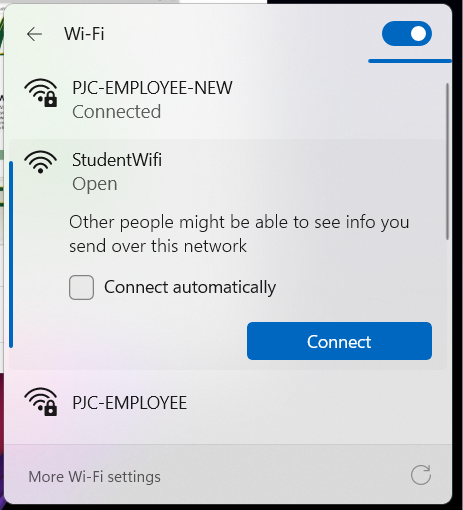
Simply look for the SSID (WiFi name) of StudentWiFi and connect to it.
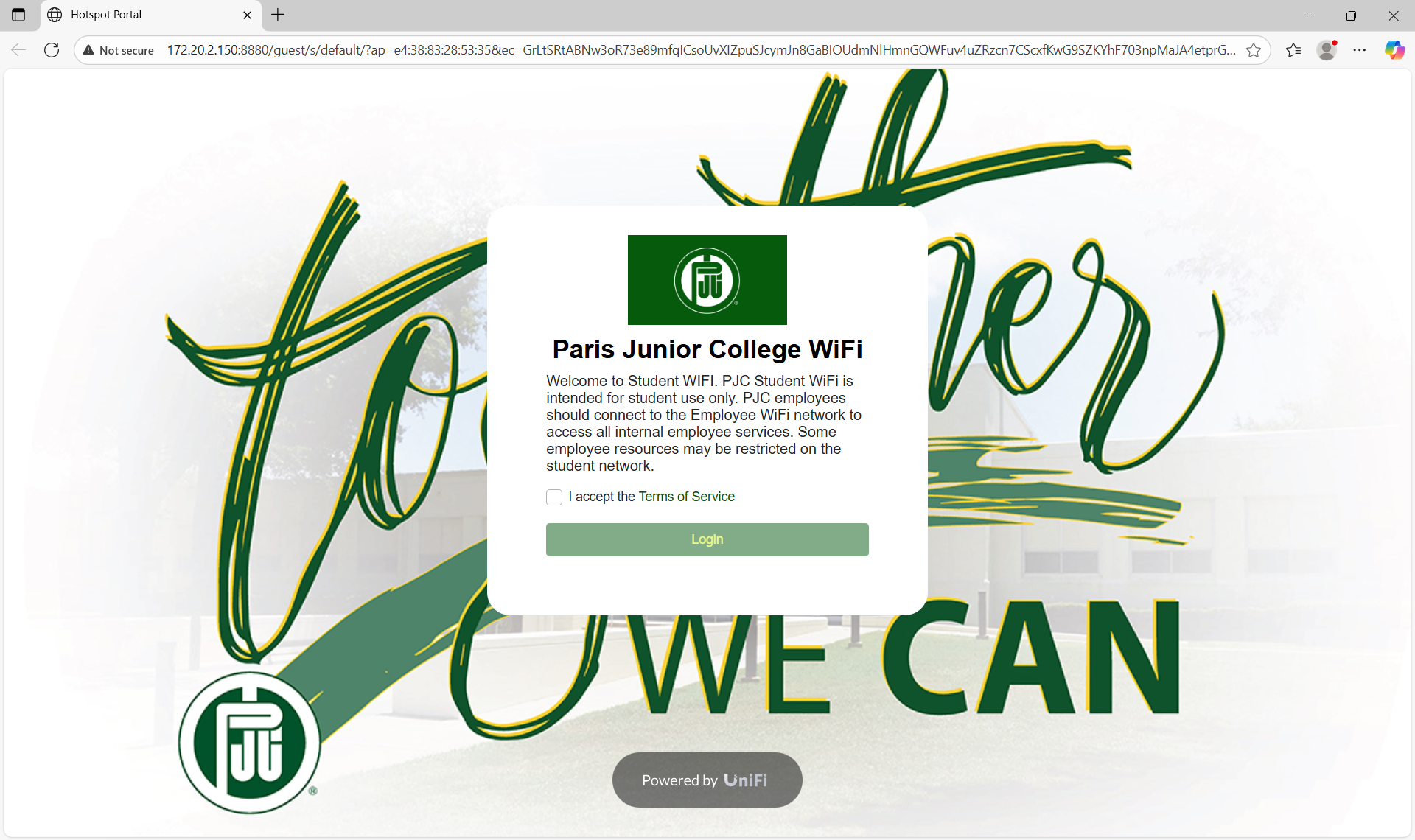
You should then be automatically taken to a webpage to accept the Terms of Service. If you are not automatically redirected, you can simply open a web browser of your choice and the Terms of Service page should open. Once you accept the terms by clicking the checkbox and click on Login, you will be logged into the WiFi.
If you have any issues connecting to the WiFi or have any issues while on it, please contact the IT Help Desk at techsupport@parisjc.edu or at 903-782-0496.
Employees can connect their personal cellphone and their work computers to the PJC-EMPLOYEE-NEW WiFi signal. Other personal devices are not allowed unless otherwise specified. If you need the password for the WiFi, please contact the IT Help Desk at techsupport@parisjc.edu or by calling us at 903-782-0496.